
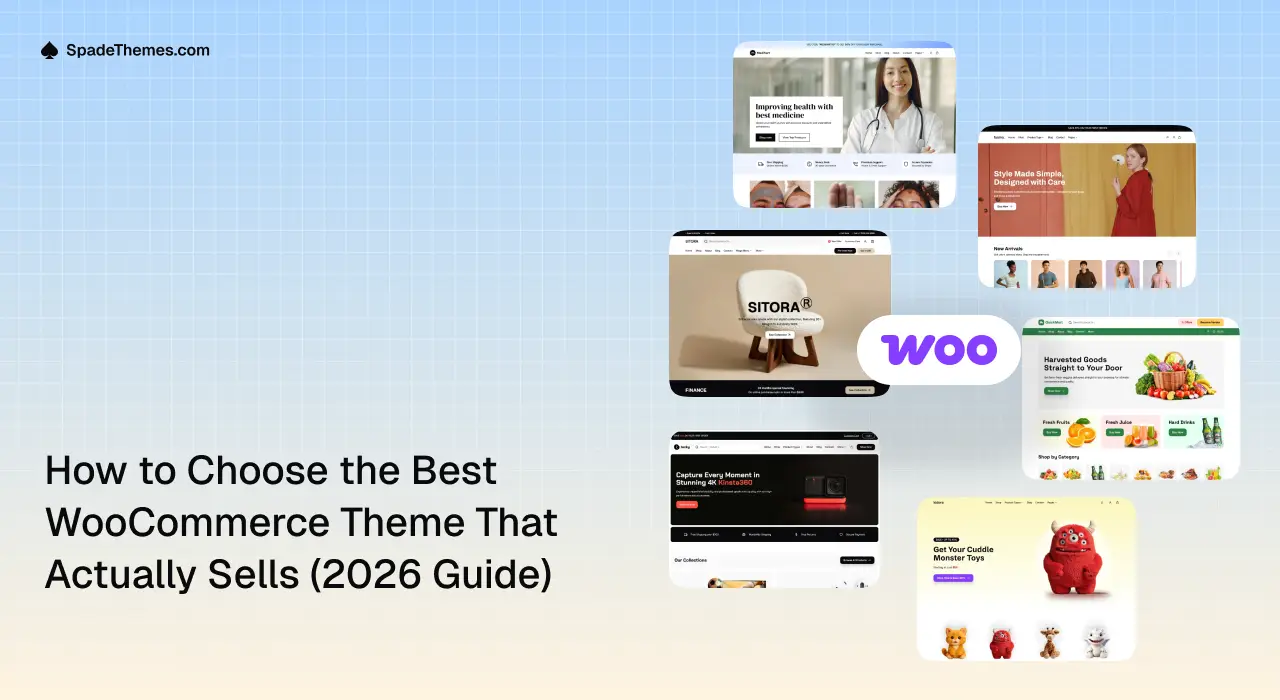
Quick summary: Choosing the right WooCommerce theme involves more than finding an attractive design. You need a theme that loads efficiently, works smoothly on mobile devices, supports your products, and makes it easy for customers to browse and buy. In this guide, you’ll learn how to compare block and classic themes, evaluate seven essential features, test a theme in 30 minutes, and find the right SpadeThemes design for your industry.
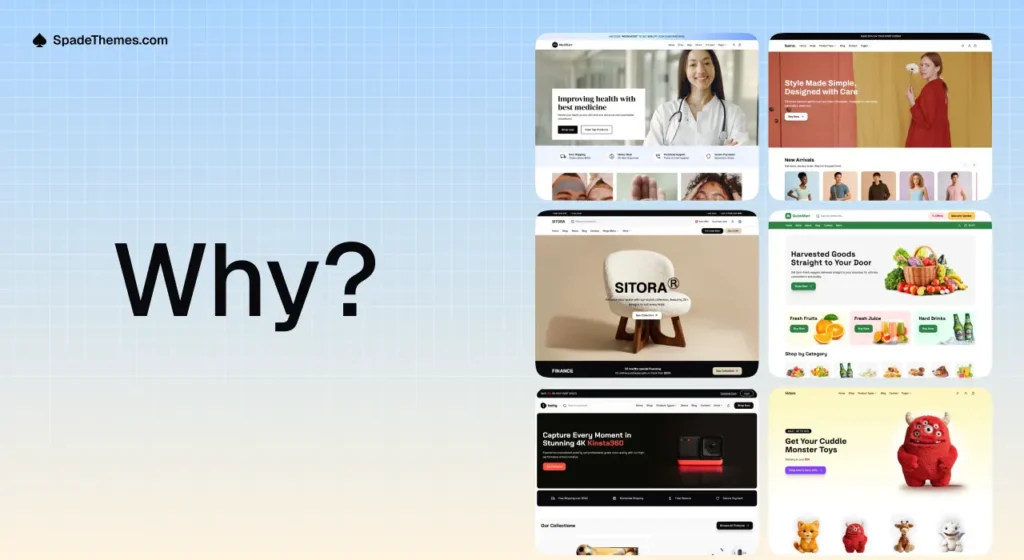
Why Choosing the Right WooCommerce Theme Matters
Your WooCommerce theme does more than determine how your online store looks. It influences how customers navigate your website, discover products, interact with your store, and complete purchases.
Think about the last time you visited an online store that took too long to load or made it difficult to find a product. You probably didn’t spend much time there. Your customers can have the same experience.
A well-designed WooCommerce theme can help you create a more consistent shopping experience by providing:
- Better navigation: Help customers find products, categories, and important store information.
- Mobile-friendly shopping: Make browsing and purchasing convenient across smartphones, tablets, and desktops.
- Consistent product presentation: Display product images, prices, descriptions, variations, and purchase buttons clearly.
- Flexible customization: Update your store’s appearance and content without depending on a developer for every change.
- A professional brand experience: Build a consistent visual identity that helps customers feel comfortable shopping with you.
Your theme is only one part of a successful online store. Hosting, product quality, pricing, marketing, payment options, and customer service also matter. However, choosing the right theme gives you a better foundation for managing and growing your store.
Block Theme vs. Classic Theme: Which Is Better for WooCommerce?
Before selecting a WooCommerce theme, understand the difference between block themes and classic themes.
Both can power successful online stores, but they offer different customization experiences.
A classic WordPress theme typically uses the WordPress Customizer, theme-specific settings, PHP templates, or page builders to control website layouts.
A block theme uses WordPress Full Site Editing (FSE), allowing you to customize templates, headers, footers, and other website sections visually through the WordPress Site Editor.
For store owners who want more control over their website’s appearance without regularly editing code, block themes offer a convenient approach.
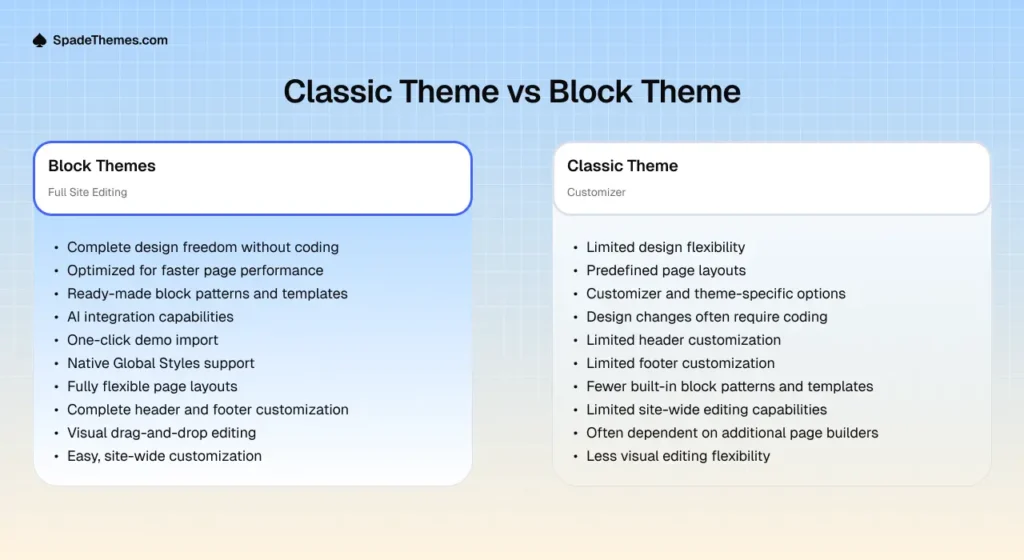
| Feature | Classic Theme | Block Theme |
|---|---|---|
| Main editing interface | Customizer and theme options | WordPress Site Editor |
| Header and footer | Depends on theme settings or builder | Editable template parts |
| Product page layouts | Theme templates, builders, or custom code | Editable block templates |
| Global design settings | Depends on theme implementation | Native global styles |
| Layout customization | Depends on theme and additional tools | Visual block-based editing |
| Ready-made layouts | Depends on theme | Block patterns and templates |
Why Consider a Block Theme?
Block themes provide access to WordPress’s native Site Editor, where you can customize different parts of your website from one interface.
For example, you can:
- Change your website’s header and footer.
- Customize single-product and product-catalog templates.
- Adjust typography, colors, spacing, and layouts.
- Add pre-designed block patterns to pages.
- Create consistent layouts across different sections of your store.
You can also customize supported WooCommerce templates using blocks rather than relying entirely on traditional PHP template overrides.
Which should you choose?
If you already have a classic-theme store that meets your requirements, there may be no reason to switch. However, if you’re building a new WooCommerce store and prefer visual, site-wide customization using native WordPress tools, a block theme is worth considering.
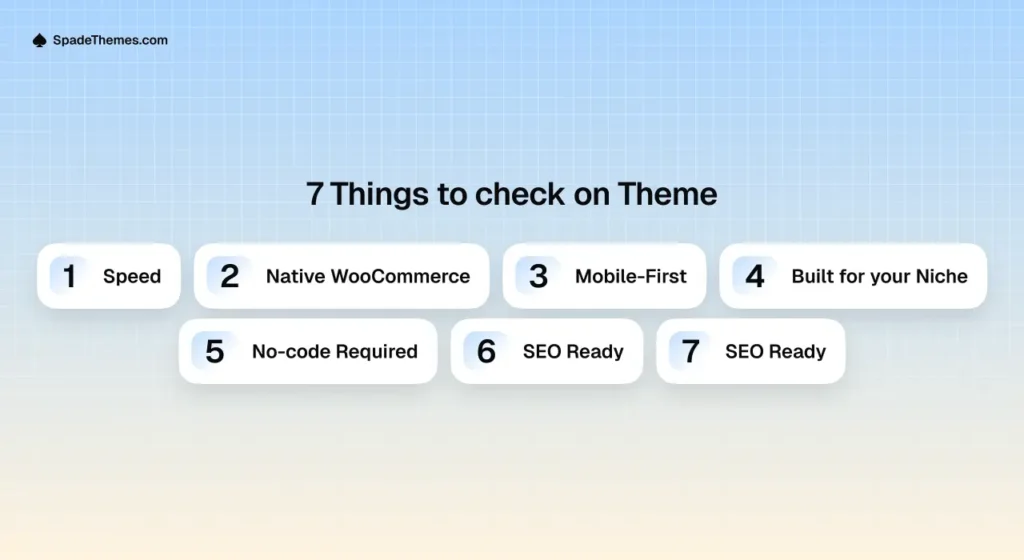
The 7 Things to Check Before Choosing a WooCommerce Theme
Not every attractive theme is suitable for running an online store. Before purchasing, evaluate these seven important areas.
1. Performance and Loading Speed
Website performance affects the shopping experience. Customers are less likely to enjoy browsing a store when pages take too long to load.
A good WooCommerce theme should use efficient code, avoid unnecessary features, and provide a lightweight foundation.
Before purchasing, check:
- Mobile and desktop performance.
- Largest Contentful Paint (LCP).
- Interaction to Next Paint (INP).
- Cumulative Layout Shift (CLS).
- Image loading and optimization.
- Unnecessary scripts and stylesheets.
Use Google PageSpeed Insights or GTmetrix to test the theme’s live demo.
Remember that demo performance is not a guarantee of your store’s performance. Hosting, plugins, images, caching, and third-party scripts also affect loading speed.
2. Complete WooCommerce Compatibility
A theme should do more than display a beautiful homepage. It must provide a consistent shopping experience throughout the purchasing process.
Check whether the theme supports and properly styles:
- Shop and product archive pages.
- Single-product pages.
- Product images and galleries.
- Product variations and options.
- Shopping cart.
- Checkout.
- My Account pages.
Pay particular attention to the cart and checkout experience. These are essential parts of the buying journey, and problems with them can prevent customers from completing purchases.
Also check whether additional functionality, such as product filters, wishlists, quick views, or advanced product options, requires separate plugins.
3. Mobile-First and Responsive Design
A large number of customers browse online stores using smartphones. Your theme should provide a smooth shopping experience across different screen sizes.
Don’t rely only on screenshots or desktop previews.
Open the actual demo on your phone and test:
- Mobile navigation and menus.
- Product image visibility.
- Product titles and prices.
- Add-to-cart buttons.
- Search and filtering.
- Product variation selectors.
- Cart and checkout forms.
Make sure important buttons are easy to tap and product information is readable without unnecessary zooming or horizontal scrolling.
A responsive theme should adapt its layout to different devices rather than simply shrinking the desktop design.
4. Industry-Specific Design and Layouts
Different businesses have different design and shopping requirements.
A furniture store needs attractive product photography and space for product specifications. A fashion store benefits from visual product grids, category navigation, and clear product variations. An electronics store may need prominent specifications and comparison information.
Choosing a theme designed around your industry can reduce the amount of customization needed before launch.
Consider the following:
- Furniture and home decor: Spacious layouts and large product images.
- Fashion and apparel: Visual product grids and category-focused navigation.
- Electronics: Product specifications and organized product categories.
- Pharmacy and wellness: Clear product information and straightforward navigation.
- Grocery: Easy product discovery and convenient shopping layouts.
- Toys and gifts: Engaging layouts and visually appealing product collections.
The best theme is not necessarily the one with the most features. It’s the one that fits your products and customers.
5. Customization Without Coding
Your store will change as your business grows. You may need to update promotional banners, introduce new product categories, change your branding, or create seasonal landing pages.
Look for a theme that makes these tasks straightforward.
Useful customization features include:
- Full Site Editing support.
- Global typography and color settings.
- Editable headers and footers.
- Pre-designed block patterns.
- Customizable WooCommerce templates.
- Demo import functionality.
- Reusable page layouts.
If you’re choosing a block theme, check how its patterns and templates work in the WordPress Site Editor.
One-click demo import can also save setup time, although you should check which plugins and demo assets are required.
6. SEO-Friendly Foundations
A WooCommerce theme cannot guarantee higher Google rankings. However, its implementation can support or undermine your website’s technical SEO.
Look for a theme that provides:
- Clean and maintainable code.
- Logical heading structure.
- Responsive layouts.
- Efficient asset loading.
- Accessible navigation.
- Compatibility with popular SEO plugins.
- Support for WooCommerce product information and structured data.
Also make sure product images have descriptive alternative text and that important product information is available as crawlable page content.
Remember that search rankings depend on many factors, including product content, website authority, technical SEO, competition, and overall user experience.
7. Regular Updates and Reliable Support
A WooCommerce theme is part of a larger WordPress ecosystem. WordPress, WooCommerce, and other plugins receive regular updates, so your theme should be actively maintained.
Before purchasing, check:
- When the theme was last updated.
- Its WordPress and WooCommerce compatibility.
- Available documentation.
- Support channels and response policies.
- Changelog and bug fixes.
- Included updates and support duration.
You should also check whether the theme depends on additional plugins and whether those plugins are actively maintained.
Good documentation and responsive support can save considerable time when configuring or troubleshooting your store.
How to Test a WooCommerce Theme Before Buying: The 30-Minute Test
You don’t need to be a developer to evaluate a WooCommerce theme. You can identify many potential problems by spending just 30 minutes exploring its live demo and testing its customization options.
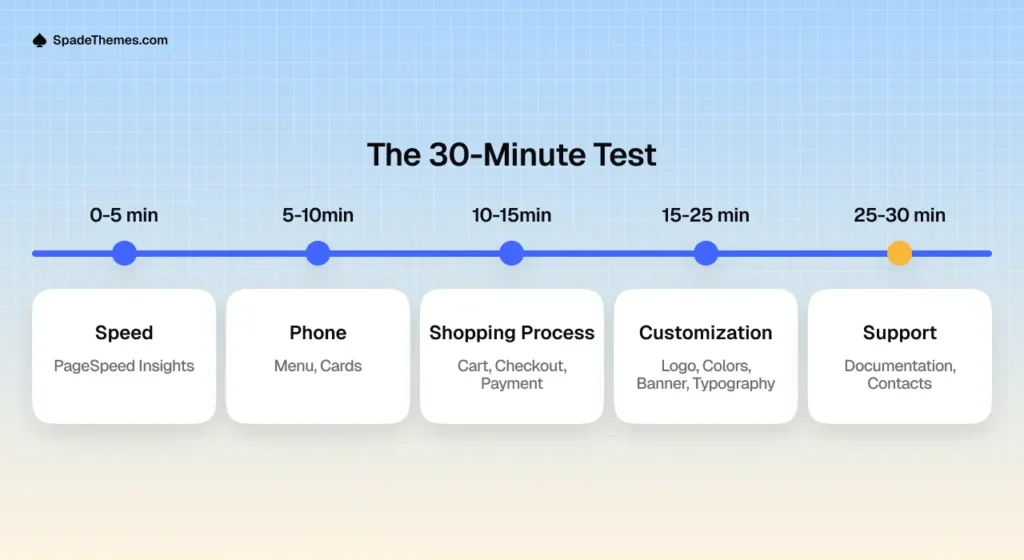
Minutes 0–5: Check Performance
Open the theme demo and enter its URL into Google PageSpeed Insights.
Review:
- Mobile performance.
- Core Web Vitals.
- Largest Contentful Paint.
- Layout shifts.
- Opportunities for improvement.
Don’t judge a theme solely by its performance score. Look at the actual issues reported and determine whether they are caused by the theme, demo content, images, or third-party resources.
Minutes 5–10: Test the Mobile Experience
Open the demo on your smartphone.
Navigate through the homepage, shop page, and product pages.
Check whether:
- The navigation menu works correctly.
- Product cards are easy to browse.
- Images display properly.
- Text is readable.
- Buttons are easy to interact with.
A theme that looks impressive on a desktop but feels difficult to use on mobile may not be the right choice.
Minutes 10–15: Follow the Shopping Journey
Pretend you’re a customer shopping on the website.
Follow this path:
- Open the shop page.
- Browse a product category.
- Open a product.
- Select available product options.
- Add the product to the cart.
- Continue to checkout.
Check whether the process is straightforward and whether important information is easy to find.
If the demo does not include a functional checkout, ask the theme developer for clarification.
Minutes 15–25: Test the Customization Experience
If possible, install the theme on a staging website or temporary WordPress installation.
Try changing:
- Website logo.
- Brand colors.
- Typography.
- Homepage banner.
- Header and footer.
- Product page layout.
If the theme provides demo import, test that process as well.
The goal is to understand how easily you can manage your store without depending on a developer for routine design changes.
Minutes 25–30: Evaluate Documentation and Support
Before purchasing, send the theme developer a practical pre-sales question.
For example:
“Does this theme support customizable WooCommerce product templates through the WordPress Site Editor, and are there any additional plugins required?”
Review the clarity and usefulness of the response.
Also check the documentation, update history, and support policy. These details can tell you a lot about the long-term experience of using the theme.
Bonus: If you have access to a working test installation, complete a test purchase using your payment gateway’s test mode. Check product variations, coupons, shipping options, order confirmation, and the checkout experience.
Match Your Store’s Industry to the Right SpadeThemes WooCommerce Theme
Once you understand what makes a good WooCommerce theme, the next step is finding one that matches your business.
SpadeThemes offers WordPress block themes designed for different types of online stores. Each theme provides an industry-focused starting point, helping you spend less time building your layout from scratch.
Here are six options to explore.
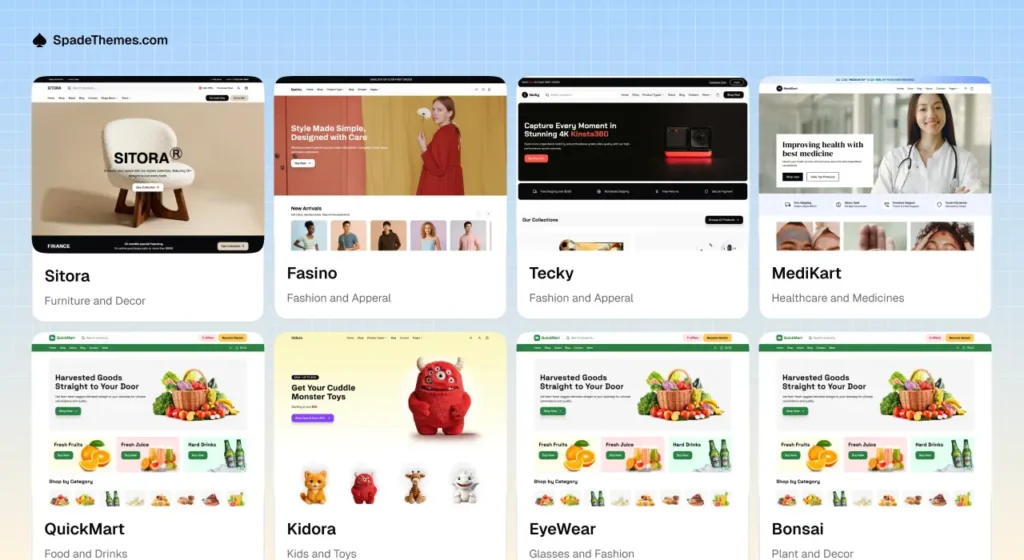
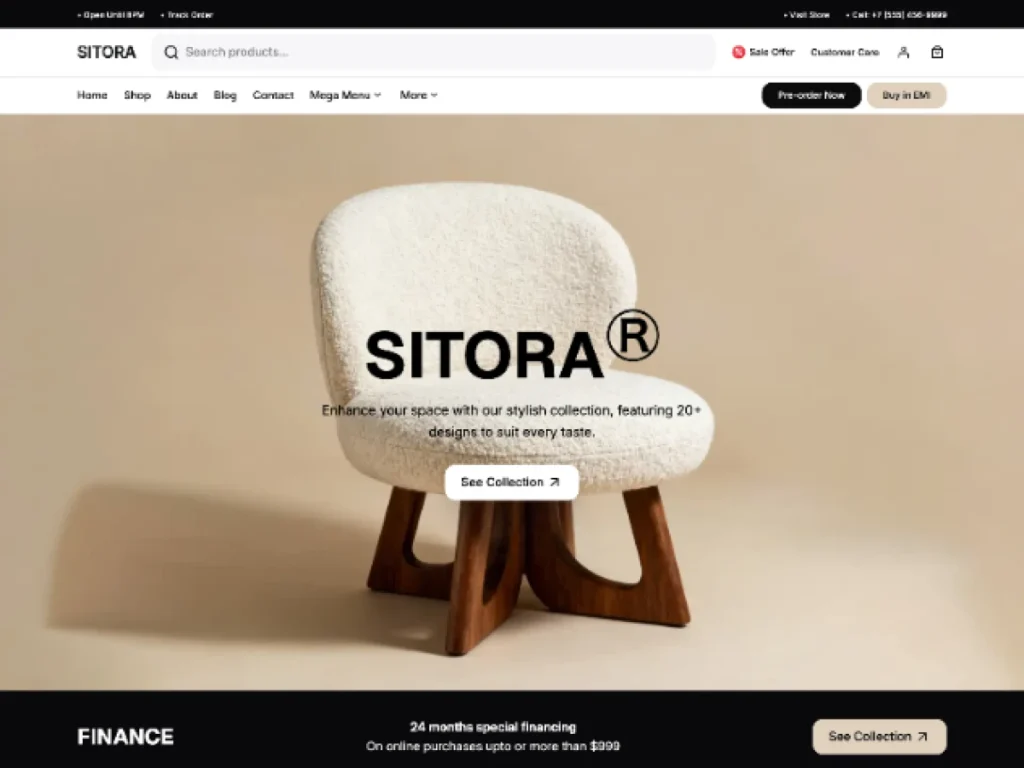
1. Sitora – Furniture and Home Decor Stores
Sitora is designed for furniture stores, home decor businesses, interior design websites, and lifestyle brands.
Its design direction suits businesses that want to showcase products through attractive imagery, clean layouts, and organized product collections.
Best suited for:
- Furniture stores.
- Home decor shops.
- Interior design businesses.
- Lifestyle product stores.
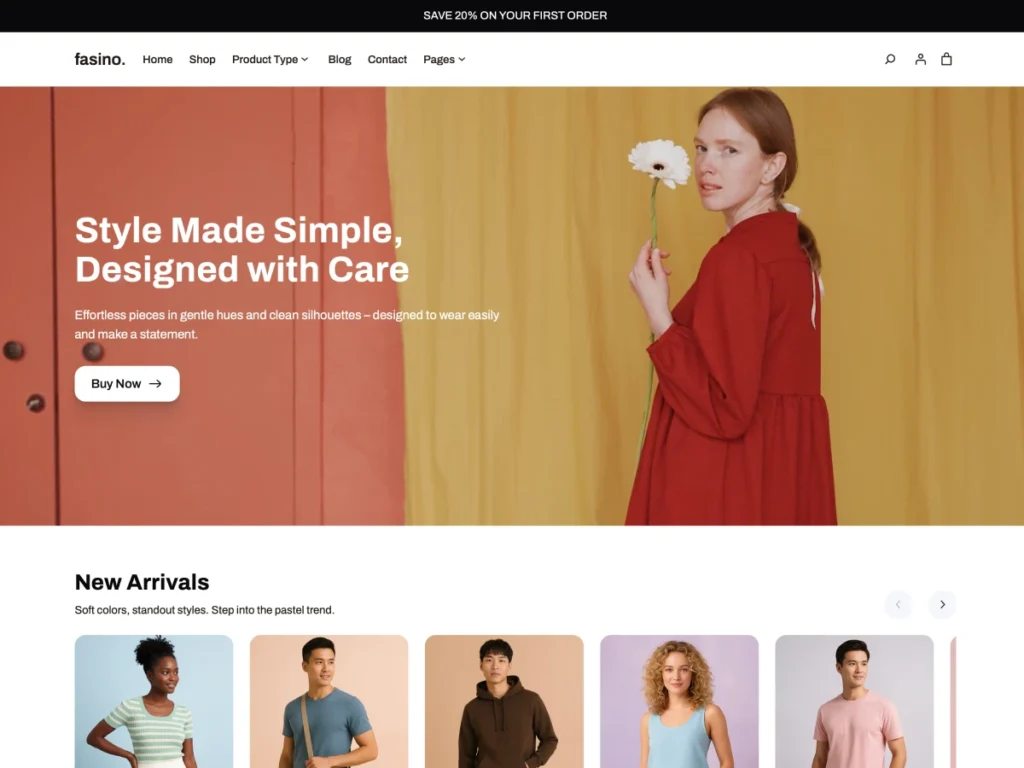
2. Fasino – Fashion and Apparel Stores
Fasino is designed for fashion and apparel businesses that want a modern storefront with a strong visual identity.
Fashion retailers can use an industry-focused design to showcase collections, highlight featured products, and create visually engaging shopping pages.
Best suited for:
- Clothing stores.
- Fashion boutiques.
- Apparel brands.
- Accessories shops.
3. Tecky – Electronics and Gadget Stores
Tecky is built around the needs of electronics and technology retailers.
Its store-focused design provides a starting point for presenting gadgets, electronics, and other technology products in an organized shopping experience.

Best suited for:
- Electronics stores.
- Computer and laptop shops.
- Gadget retailers.
- Technology product stores.
4. MediKart – Pharmacy and Wellness Stores
MediKart is designed for pharmacy, healthcare product, and wellness-related online stores.
Its industry-specific approach provides a starting point for businesses that need clear product presentation and straightforward navigation.

Best suited for:
- Pharmacy stores.
- Healthcare product retailers.
- Wellness shops.
- Personal care stores.
Make sure any products you sell comply with the applicable healthcare, advertising, and regulatory requirements in your market.
5. QuickMart – Grocery and Food Stores
QuickMart is designed for grocery businesses and food retailers looking to establish an online shopping experience.
An organized product catalog and convenient navigation are particularly important for stores selling a wide range of everyday products.

Best suited for:
- Grocery stores.
- Fresh food retailers.
- Organic food shops.
- Beverage stores.
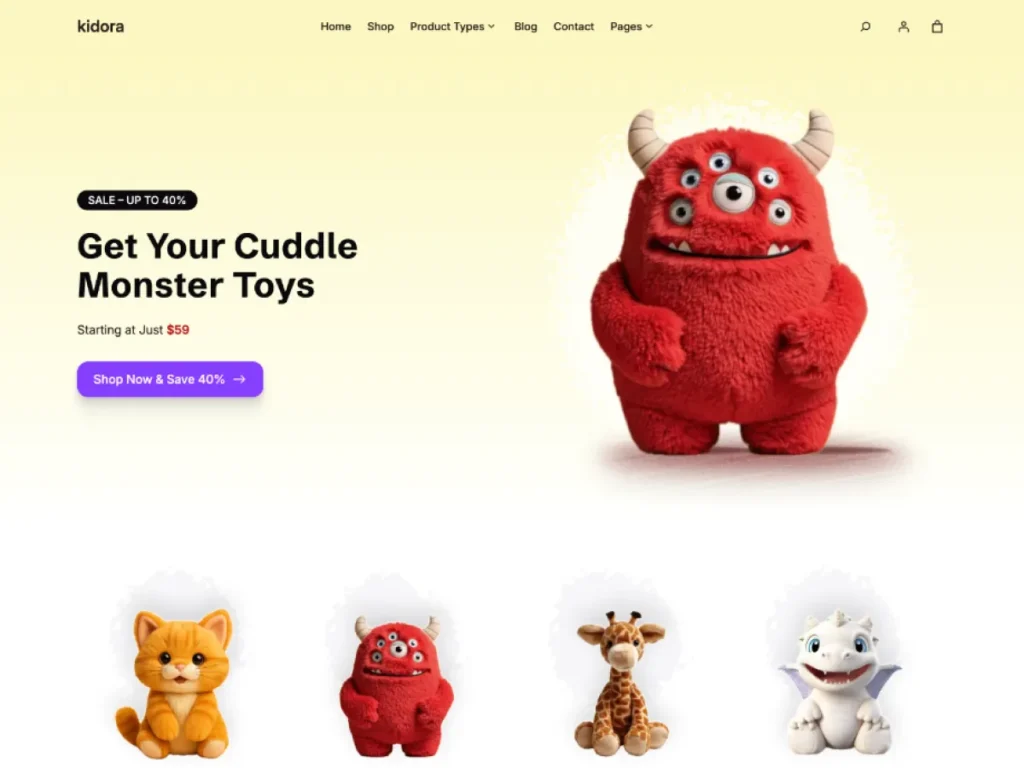
6. Kidora – Toy and Gift Stores
Kidora is designed for toy shops, game stores, and gift boutiques.
Its playful design direction makes it a suitable starting point for businesses that want to create an engaging storefront for products aimed at children, families, and gift shoppers.
Best suited for:
- Toy stores.
- Game shops.
- Gift boutiques.
- Children’s product stores.
Explore More SpadeThemes
Looking for a different type of store design?
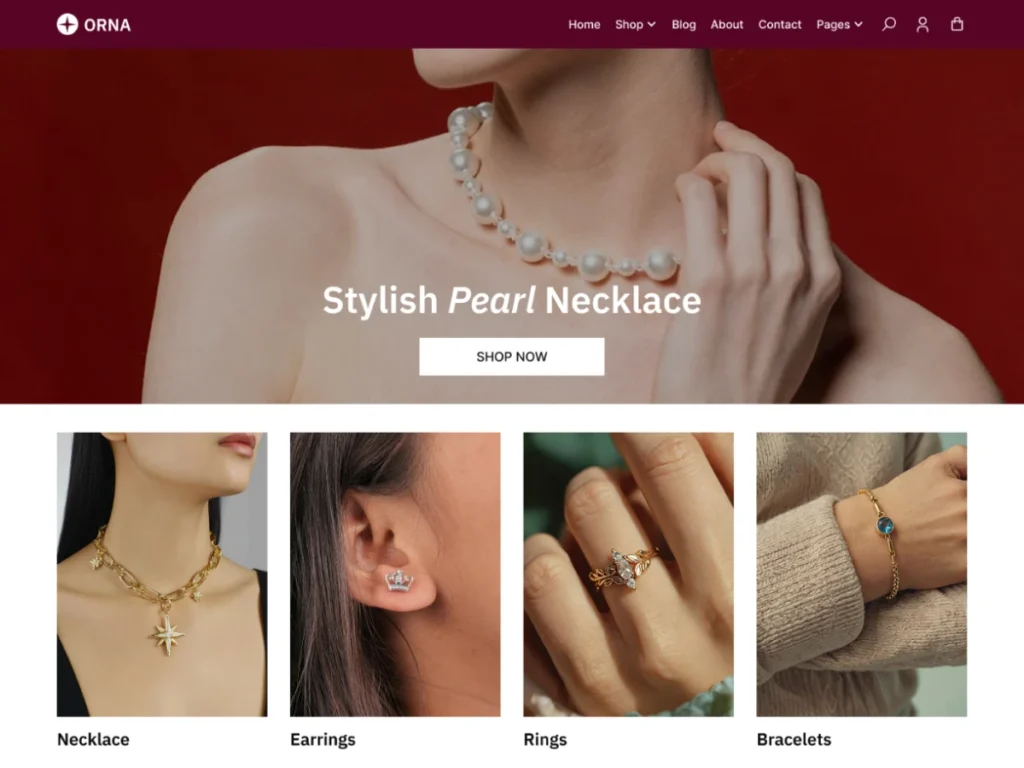
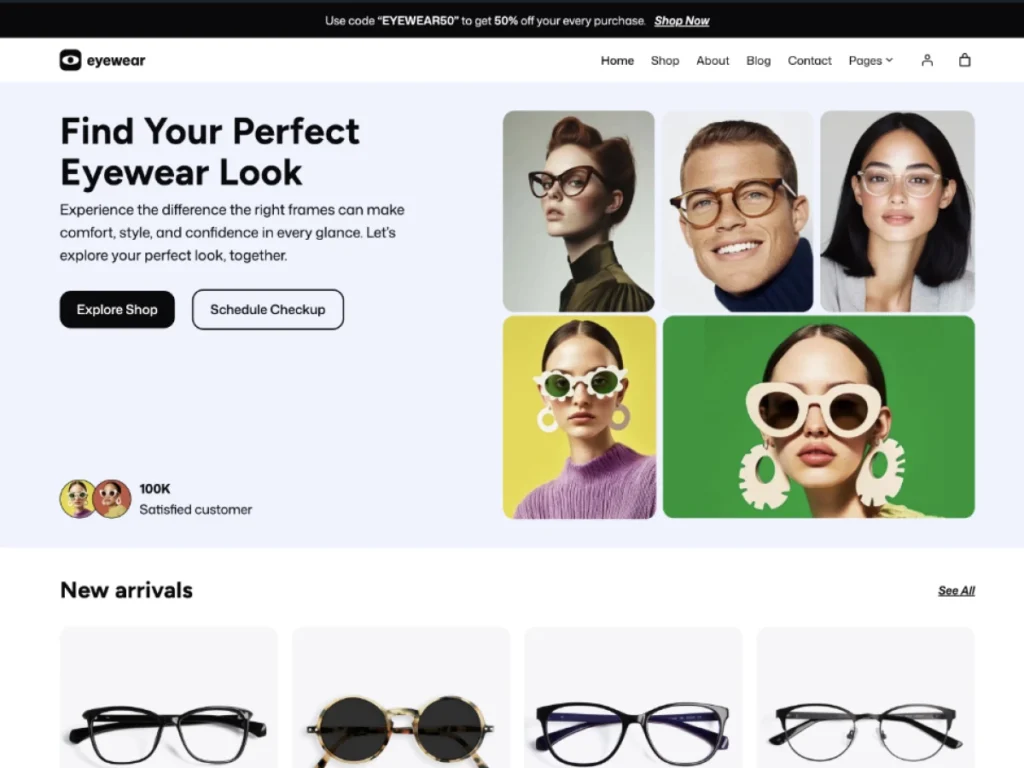
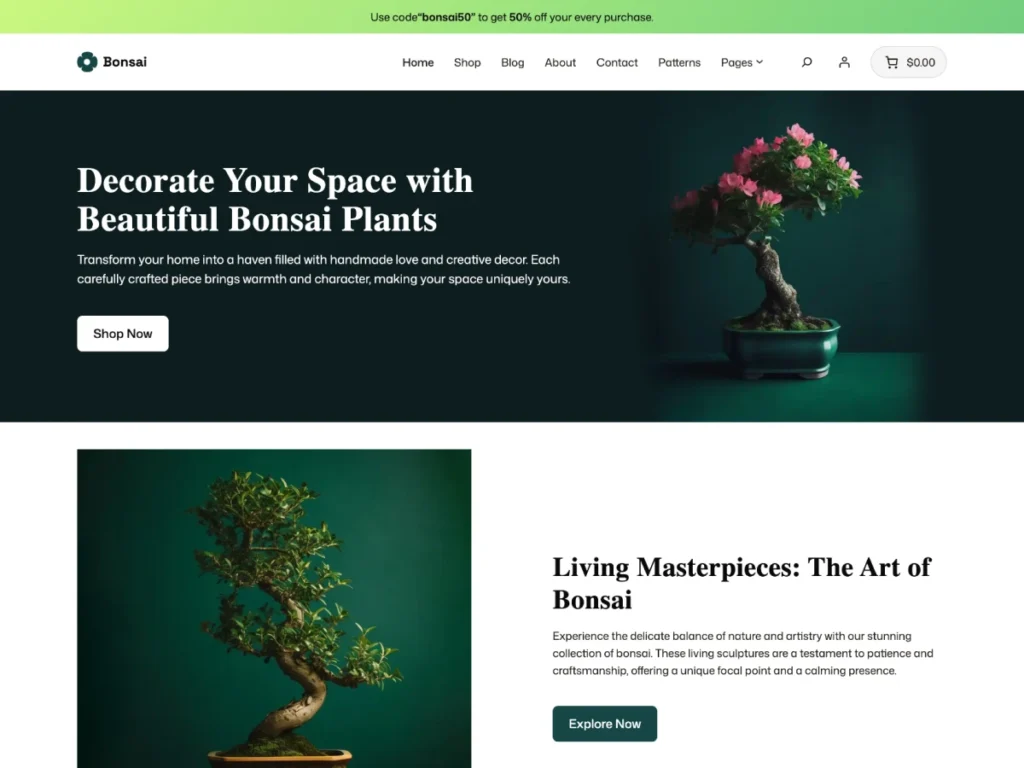
Explore the complete SpadeThemes WordPress theme collection to discover additional themes, including EyeWear, ORNA, SellAny, and Bonsai.
Visit each product page to explore its live demo, features, requirements, and current pricing before making a decision.
Common Mistakes to Avoid When Choosing a WooCommerce Theme
Even experienced store owners can make mistakes when selecting a theme. Avoid these common problems:
Choosing a theme based only on its demo design
A beautiful homepage doesn’t guarantee a good shopping experience. Explore product pages, category layouts, cart, and checkout before purchasing.
Ignoring mobile usability
Always test the theme on a real smartphone. A responsive design should make browsing and purchasing easy on smaller screens.
Installing too many plugins
Avoid choosing a theme that requires numerous additional plugins for basic functionality. Every additional dependency can increase maintenance and compatibility considerations.
Ignoring theme updates
An outdated theme can create compatibility and security maintenance concerns. Review the developer’s update history before purchasing.
Assuming a theme guarantees SEO rankings
A theme provides the design and technical foundation. Search visibility also depends on content quality, technical SEO, site performance, and other ranking factors.
Switching themes without testing
Changing a theme can affect templates, layouts, widgets, and theme-specific functionality. Always test the new theme on a staging website before changing your live store.
Frequently Asked Questions
The best theme depends on your products, budget, design requirements, and technical needs. Look for a lightweight, responsive theme with proper WooCommerce compatibility, easy customization, and reliable support. An industry-focused theme can also reduce the amount of setup work required.
Neither is automatically better for every store. Block themes provide native Full Site Editing capabilities, allowing you to customize templates, headers, footers, and global styles through the WordPress Site Editor. Classic themes may be more suitable for stores already using established Customizer or page-builder workflows.
Not necessarily. WordPress block themes use the native Site Editor and block editor for visual customization. You can create and edit layouts using blocks, templates, and patterns without installing a separate page builder. Additional plugins may still be useful for specific functionality.
Generally, switching themes does not delete WooCommerce products, orders, or customer records because this information is stored separately from the theme. However, theme-specific layouts, custom settings, widgets, and functionality may change or disappear.
Always create a full backup and test the new theme on a staging website before switching your live store.
Yes. A theme can influence page weight, scripts, stylesheets, and rendering performance. However, your store’s overall speed also depends on hosting, plugins, image optimization, caching, and third-party services.
The right budget depends on your requirements. Compare the theme’s features, support, updates, included plugins, documentation, and customization options rather than choosing based on price alone. Also consider the long-term cost of additional extensions and maintenance.
Yes. Compatible block themes allow you to use the WordPress Site Editor to customize supported WooCommerce templates, including single-product and product-catalog layouts. The available blocks and customization options depend on your WordPress, WooCommerce, and theme setup.
Final Thoughts: Choose a WooCommerce Theme That Helps Your Store Grow
Choosing a WooCommerce theme is an important decision when building an online store. The right choice should support your products, provide a smooth shopping experience, work across devices, and give you the flexibility to manage your website as your business grows.
Instead of choosing a theme based only on its appearance, evaluate its performance, WooCommerce compatibility, mobile experience, customization options, SEO foundations, and ongoing support.
If you prefer WordPress Full Site Editing and want a design tailored to your industry, explore the SpadeThemes collection.
From furniture and fashion to electronics, pharmacy, grocery, and toy stores, you can find an industry-focused starting point for building your online store.
Ready to build your store? Explore the SpadeThemes WooCommerce themes, preview the designs, and choose the one that best fits your products and business go
Leave a Reply